


If you have outgrown basic web hosting, or you need a server for something other than a website, you will quickly run into the term VPS. This guide explains what a VPS is, how it works, how it compares to shared hosting and dedicated servers, and what to check before you buy one.
VPS meaning: what is a VPS server?
A VPS (Virtual Private Server) is a virtual machine running on a physical server, with its own guaranteed share of CPU, RAM and storage, its own operating system, and full administrator access.
In plainer terms: a powerful physical server is divided into several isolated virtual servers. Each one behaves like a separate computer. You get:
- Guaranteed resources. The vCPU cores, RAM and disk space in your plan are reserved for you. A busy neighbour on the same machine does not eat into your memory.
- Your own operating system. You choose Linux or Windows and configure it however you need.
- Root or administrator access. You can install any software, change system settings, open ports and run background services, which is not possible on shared hosting.
So when people ask "what is VPS hosting?", the answer is: renting one of these virtual servers from a hosting provider, who takes care of the physical hardware, power, cooling and network.
How a VPS works
The key piece of software is the hypervisor. It sits between the physical hardware and the virtual servers, splits the machine's resources into separate slices, and keeps each slice isolated from the others.
The most common hypervisor on Linux-based infrastructure is KVM (Kernel-based Virtual Machine). Explained simply, KVM turns the Linux kernel into a hypervisor, so each VPS runs as a full virtual machine with its own kernel. That matters for two reasons:
- Real isolation. Each VPS is fenced off from the others, which is good for both stability and security.
- Freedom of operating system. Because each VPS gets its own virtual hardware, you can run different Linux distributions or Windows Server on the same physical host.
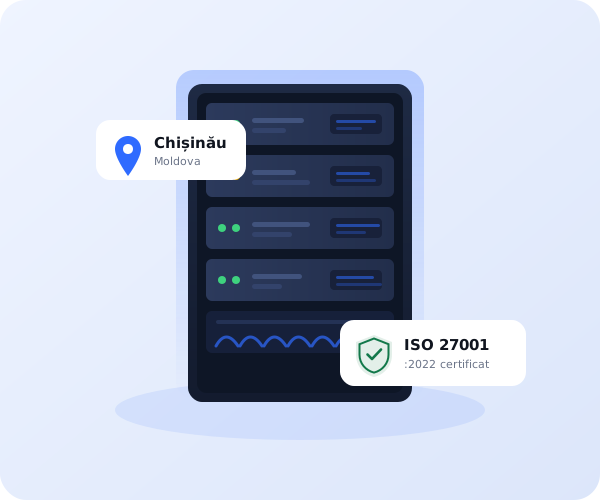
IPHOST runs its VPS plans on KVM virtualization with SAS SSD storage, in its own data centers in Chișinău (Moldova) and Bucharest (Romania).
VPS vs shared hosting vs dedicated server
The easiest way to understand a VPS is to compare it with the two options on either side of it.
| Shared hosting | VPS | Dedicated server | |
|---|---|---|---|
| Resources | Shared with many other sites, no guarantees | Guaranteed slice of a physical server | The whole physical server is yours |
| Control | Limited to a control panel | Full root/admin access | Full root/admin access plus hardware choice |
| Price level | Lowest | Middle | Highest |
| Who it suits | Small sites, blogs, beginners | Growing sites, apps, developers, custom software | High-traffic platforms, heavy databases, strict compliance needs |
VPS vs shared hosting: shared hosting is simpler and cheaper, but you share CPU and memory with every other account on the server and cannot install your own software. A VPS gives you predictable performance and full control.
VPS vs dedicated server: a dedicated server gives you every bit of the hardware, but costs more and is overkill for most projects. A VPS lets you scale up step by step, adding resources only as you need them.
What is a VPS used for?
Because you control the whole operating system, a VPS can do far more than host a website. Common uses include:
- Websites with growing traffic that have become slow on shared hosting.
- Web applications built with Node.js, Python, PHP frameworks, Java or similar.
- Development and testing environments, staging servers and CI runners.
- Databases such as MySQL, PostgreSQL or MongoDB that need dedicated memory.
- A personal or team VPN (WireGuard, OpenVPN) with your own IP address.
- Bots for Telegram, Discord or automation scripts that must run 24/7.
- Forex trading platforms such as MetaTrader, where an always-on server keeps Expert Advisors running even when your own computer is off.
- Game servers for Minecraft, CS2 and other titles.
- Email servers when you want full control over your mail setup.
Linux VPS vs Windows VPS
Linux VPS is the most common choice. Distributions like Ubuntu, Debian, AlmaLinux and Rocky Linux are free, lightweight and well suited to web servers, databases, VPNs and most development work. You usually manage a Linux VPS over SSH. IPHOST Linux VPS plans are activated instantly and come with a 1 Gbps port and full root access.
Windows VPS makes sense when you need Windows-only software: MetaTrader and other trading terminals, .NET applications, MS SQL Server, or desktop programs you want to run remotely. You connect through Remote Desktop (RDP) and get a familiar Windows desktop in the cloud.
One thing to watch: at many hosts the Windows Server license is an extra monthly cost added on top of the VPS price. At IPHOST, our licensed Win S–XL plans will include Windows Server in the price (coming soon); once available, a Windows VPS is delivered within 2 business hours.
Managed vs unmanaged VPS
- Unmanaged VPS: you get the server with an operating system installed, and everything else (updates, security, software, troubleshooting) is up to you. It suits developers and system administrators who are comfortable on the command line.
- Managed VPS: the provider helps with setup, updates, monitoring and technical issues, so you can focus on your project. It suits business owners and teams without a dedicated sysadmin.
If you want the flexibility of a VPS without handling server administration yourself, look at a managed VPS.
How to choose a VPS
Use this checklist when comparing plans:
- CPU (vCPU): the number of virtual cores. One or two is enough for a small site or bot; apps and databases benefit from more.
- RAM: often the first limit you hit. Windows needs more memory than Linux to run comfortably.
- Storage (SSD): SSD storage is much faster than traditional hard drives. Check the size and leave room for logs, backups and growth.
- Bandwidth and port speed: look at both the monthly traffic allowance and the port speed (for example 1 Gbps).
- Location and latency: choose a data center close to your users (more on this below).
- Operating system: make sure your preferred Linux distribution or Windows Server version is offered, and whether the Windows license is included.
- Support: check how support is reached and whether help with setup is available.
- Backups: find out whether backups or snapshots are offered, and keep your own copies as well.
- Payment methods: card, bank transfer or crypto. IPHOST accepts all three, including VPS payment with cryptocurrency.
Why server location and latency matter
Latency is the time it takes for data to travel between your server and the user, measured in milliseconds (ms). Lower latency means pages start loading faster, remote desktop sessions feel more responsive and trading orders reach the broker sooner.
Here are real round-trip measurements from IPHOST's data center in Chișinău:
| Destination | Approximate latency |
|---|---|
| Frankfurt | ~37 ms |
| Amsterdam | ~40 ms |
| London | ~49 ms |
| New York | ~116–124 ms |
| Manila | ~285 ms |
IPHOST's servers are located in Europe, in Chișinău and Bucharest, not in the Philippines. From our Chișinău data center, latency to Manila is about 285 ms. That is fine for many tasks, but if your main goal is a website that loads as fast as possible for visitors in the Philippines, a server located in Asia will usually be faster for that audience.
Where a European server makes sense for Filipino users: international websites and online stores selling to Europe or worldwide, forex and MetaTrader trading on brokers with European servers, VPNs with a European IP address, bots and automation, and development or testing environments. For these use cases, our Europe VPS servers and Windows VPS with a licensed Windows Server included are a practical choice. You can compare all options on our VPS hosting Philippines page.
You can pay by credit or debit card, bank transfer or cryptocurrency. GCash is not available at the moment, so please choose one of these methods when ordering.